
List your tool
Freemium

Onshape

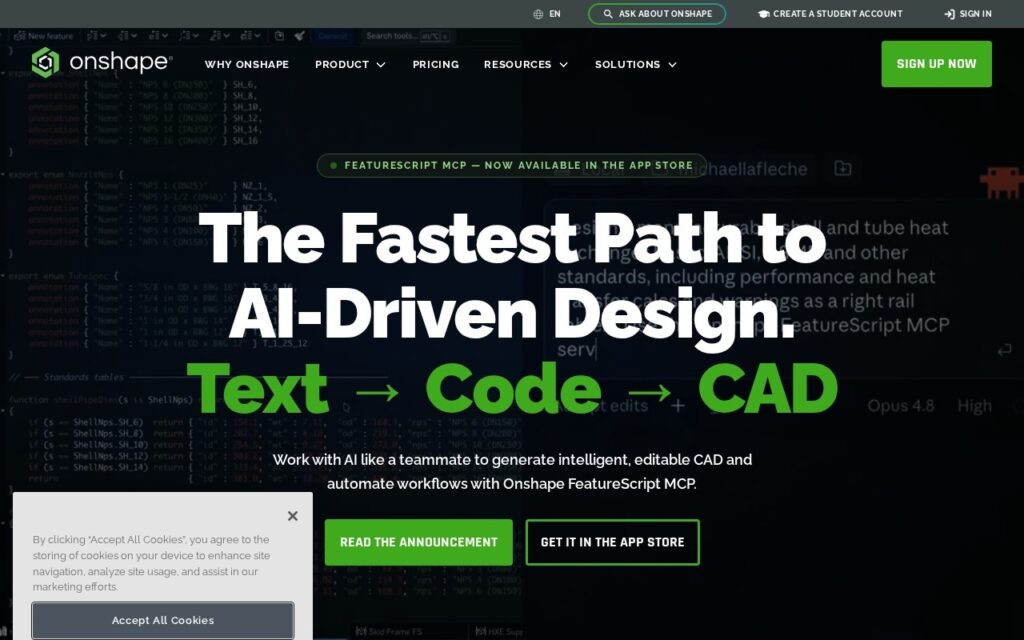
FeatureScript MCP turns a text description into editable CAD – "Text → Code → CAD" – on top of a full cloud-native parametric design and PDM platform.

3.6 Design
3.6 Good 3.6
Generates genuinely editable, parametric CAD, not just a static 3D mesh AI features are add-ons to the core CAD platform, not the primary offering
Reviewed by Challenging Voice Editorial · Updated Sep 2026 How we rate
PricingFree
Free planYes
CompanyOnshape (PTC)
PlatformsWeb
CategoryDesign
Last reviewedAug 2026
UpdatedSep 2026

Is this your tool?

  • Claim this listing. Sign in with an email at onshape.com to manage it. Claim Onshape
  • Get into the top 5 of Design. 5 of 5 spots open, from $159/month. See positions
  • Something out of date? Owners can request edits from My listings; anyone can tell us.
Ask AI about Onshape ChatGPT Claude Perplexity

Overview

Onshape adds FeatureScript MCP to its cloud CAD platform: described as “the fastest path to AI-driven design,” it takes a text description and generates intelligent, editable CAD geometry directly, plus automates broader design workflows – a genuine text-to-CAD capability rather than a generic AI chatbot bolted onto a modeling tool. AI Advisor and Onshape Labs offer additional experimental AI-driven tools through the app store.

Generating editable CAD rather than a static output is the detail that actually matters for engineering use – a generated 3D model you can’t parametrically edit afterward is far less useful than one that behaves like any other Onshape feature, adjustable and integrated into the rest of your design tree. That’s a meaningfully higher bar than most text-to-3D tools clear, which typically produce a fixed mesh rather than genuine parametric geometry.

Onshape’s core platform remains a full cloud-native CAD system: parts modeling, assemblies, drawings, sheet metal, frames, and surfacing, with integrated PDM offering branching/merging version control, infinite undo, bill of materials generation, and release management, plus real-time collaborative design and multi-discipline support (CAM, simulation, PCB design, rendering). A free plan exists for hobbyists, with Professional, Enterprise, and free Education tiers above it – specific pricing requires visiting the dedicated pricing page.

Key features

  • FeatureScript MCP – text-to-CAD generating editable, parametric geometry
  • AI Advisor and experimental Onshape Labs AI tools
  • Cloud-native real-time collaborative design
  • Integrated PDM with branching/merging version control
  • Multi-discipline support (CAM, simulation, PCB design, rendering)

Screenshots & demo

Onshape screenshot 1

Pricing

Onshape offers a free plan, with paid upgrades for higher limits and more features.

  • Pricing modelFreemium
  • Starting priceFree
  • Free planYes
Visit Onshape

Pricing is provided as a guide. Check the official site for the latest plans.

Is Onshape expensive?

Onshape has no advertised paid tier. Among the 122 priced tools we list in Design, the median entry price is $15 a month.

72% of Design tools in the directory offer a free tier, and this is one of them.

Compared against every priced listing in Design, recalculated as the catalogue changes. Method and the full market breakdown are in our AI tool pricing study.

Pros & cons

Pros

  • Generates genuinely editable, parametric CAD, not just a static 3D mesh
  • Free tier available for hobbyists, plus free tier for students/educators
  • Full cloud-native PDM with real branching/merging, not just basic version history

Cons

  • AI features are add-ons to the core CAD platform, not the primary offering
  • Detailed pricing for Professional/Enterprise tiers requires visiting a separate page
  • Text-to-CAD output for complex geometry still likely needs engineering refinement

How it compares

ToolRatingFreeFromBest known for
Onshape (this tool)3.6YesFreeFeatureScript MCP – text-to-CAD generating editable, parametric geometry
Sloyd4.0Yes$15/moText-to-3D and image-to-3D generation
Spacely AI3.6YesFreeSketch/3D-model/photo-to-photorealistic-render in under 60 seconds
Rodin4.0YesFree3D model generation from text or reference images

Alternatives to Onshape

4 tools matched to Onshape on what they do, their category and their price.

Sloyd

4.0

Generates 3D models from text, images or parametric templates, rigged and game-ready.

Freemium Design

Spacely AI

3.6

Turn a sketch, 3D model or room photo into a photorealistic interior render in under 60 seconds – adjust lighting, materials and furnishings while keeping the original geometry, with live multi-user Team Canvas editing.

Freemium Design

Archsynth

3.6

Turn an architectural sketch into a professional rendering, 3D model, or CAD file with AI – style-reference rendering and automated texturing included, 15.6M+ renders created.

Paid Design

Frequently asked questions

What is Onshape?
Onshape is a design tool. FeatureScript MCP turns a text description into editable CAD – "Text → Code → CAD" – on top of a full cloud-native parametric design and PDM platform.
Is Onshape free?
Yes, Onshape offers a free plan. Paid plans unlock more features and higher usage limits.
What are the best Onshape alternatives?
The closest matches in the directory are Sloyd, Spacely AI, and Rodin, compared side by side above.

Reviews

3.6 Editorial rating No reviews yet

Write a review

More tools like Onshape

SketchUp

3.8

Six AI tools built into the modeler – text/image-to-3D generation, AI Render, AutoShape sketch conversion, and an AI chat assistant for the software itself.

Paid Design

dsgnr AI

4.0

AI rendering platform that turns interior design sketches, CAD files, and photos into photorealistic visuals.

Freemium Design