

Free Trial

IntelliBar

Native Mac menu-bar AI client that talks to OpenAI, Anthropic, Google and local models with your own keys, sold as a one-time license.

3.8 Productivity
3.8 Good 3.8
No app subscription, and you pay only for the model usage you choose Needs your own provider keys or accounts, so running costs vary
Reviewed by Challenging Voice Editorial · Updated Sep 2026 How we rate
PricingFree Trial
Free planNo
CompanyIntelliBar
PlatformsMac
CategoryProductivity
Visits1
Last reviewedSep 2026
UpdatedSep 2026
Ask AI about IntelliBar ChatGPT Claude Perplexity

Overview

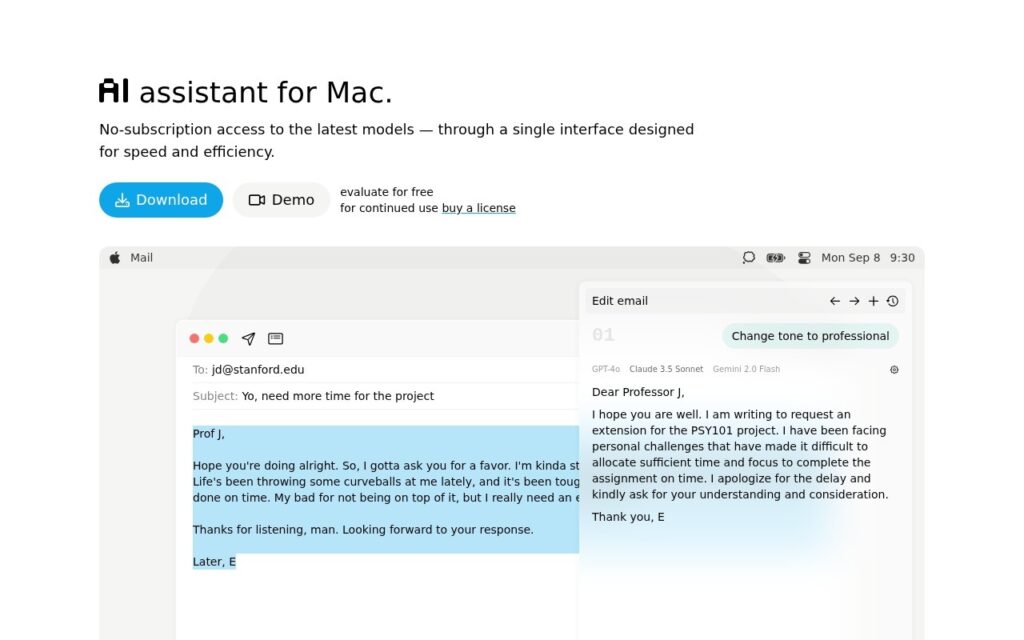
IntelliBar is a macOS menu-bar assistant that puts several AI models in one keyboard-driven interface. It connects directly to model providers using your own accounts or API keys, and to local models through Ollama, so there is no subscription for the app itself and you pay providers for what you use. The homepage lists OpenAI, Anthropic, Google, Grok, Llama, Qwen, DeepSeek and Perplexity Sonar models; that list dates from early 2025, while the public release notes show version 0.47.0, dated 13 January, adding support for newer models including Claude 4.5 Sonnet, GPT-5.2 and Gemini 3 Pro.

The features serve people who use AI dozens of times a day: sending one prompt to several models and comparing the answers side by side, smart completions as you type, a command menu on Command-K, instant search across chat history on Command-O, voice input and read-aloud, and reusable slash commands for common instructions. Privacy is the design pitch: chats are stored locally on the device, prompts go straight to the chosen provider with no intermediary, and local models keep everything on the machine, though anything sent to a cloud model is governed by that provider’s policy.

It is sold as a one-time license, from $39 according to a third-party listing, with a free evaluation period and no usage limits beyond what your providers charge. The developers describe it as user-funded, with no investors, ads or data sales. Being a small independent app, support and roadmap depend on a small team; the regular public release history is the reassuring signal.
Key features

  • One menu-bar interface for OpenAI, Anthropic, Google, Grok, DeepSeek, Perplexity and other models
  • Local models through Ollama
  • Compare the same prompt across several models
  • Command menu, instant chat search and custom slash commands
  • Chats stored locally, with prompts sent directly to providers
  • One-time license with no subscription

Screenshots & demo

IntelliBar screenshot 1

Pricing

Visit the IntelliBar website for current plans and pricing.

  • Pricing modelFree Trial
  • Starting priceCustom
  • Free planNo
Visit IntelliBar

Pricing is provided as a guide. Check the official site for the latest plans.

Pros & cons

Pros

  • No app subscription, and you pay only for the model usage you choose
  • Local storage and direct provider connections suit privacy-conscious users
  • Regular public releases that add new models

Cons

  • Needs your own provider keys or accounts, so running costs vary
  • The website's model list is out of date compared with the release notes
  • Mac only, and built by a small independent team

Frequently asked questions

What is IntelliBar?
IntelliBar is a macOS menu-bar assistant that puts several AI models in one keyboard-driven interface.
Is IntelliBar free?
IntelliBar does not offer a free plan.

Reviews

3.8 No reviews yet

Write a review