
List your tool
Free Trial

Aftershoot

AI culling, editing and retouching platform for photographers that learns a user's own editing style, from $10 a month.

3.9 Image Generation
3.9 Good 3.9
A personal AI style profile instead of one-size-fits-all presets Automated culling and retouching still need a final human check
Listed by Challenging Voice · Updated Sep 2026 How we rate
PricingFrom $10/mo
Free planYes
CompanyAftershoot
PlatformsWeb
CategoryImage Generation
Last reviewedSep 2026

Is this your tool?

  • Claim this listing. Sign in with an email at aftershoot.com to manage it. Claim Aftershoot
  • Get into the top 5 of Image Generation. 5 of 5 spots open, from $159/month. See positions
  • Something out of date? Owners can request edits from My listings; anyone can tell us.
Ask AI about Aftershoot ChatGPT Claude Perplexity

Overview

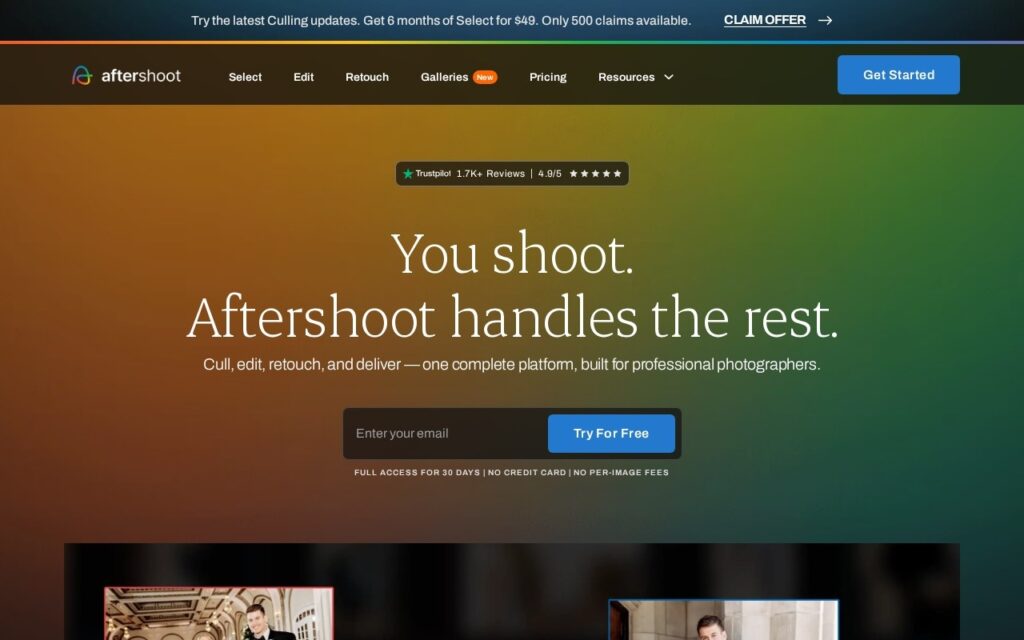
Aftershoot handles the repetitive parts of a photographer’s workflow after a shoot: Select culls a shoot by grouping duplicates and detecting key faces to surface the best frames, Edit applies AI-driven cropping, straightening and masking along with a marketplace of preset styles, and Retouch handles portrait retouching, blemish and background cleanup, and batch syncing across a whole gallery. A Personal AI Profile trains on a photographer’s own past edits so new work matches their established style rather than a generic preset, and the platform exports directly into Lightroom, Capture One, Lightroom Classic, Bridge and Adobe Camera Raw. The site cites a 4.9 out of 5 rating from 1,700+ Trustpilot reviews and says it is used by 100,000+ photographers.

AI culling and retouching still need a final human pass, since an automated key-face or duplicate-detection score can occasionally pick a technically sharp frame over one with the better expression, and automated retouching of skin, background or objects should be spot-checked on hero images before delivery to a client. The company’s own return-on-investment framing, comparing hours saved against an hourly rate, is a useful way to think about the cost but is built on assumptions about how much time a given photographer would otherwise spend, not a guaranteed outcome.

Individual modules are billed annually: Select is $10 a month, Edit is $30 a month and Retouch is $20 a month. Complete, the most popular option bundling all three, is $45 a month billed annually against a $60 monthly-billing rate, described as saving $180 a year over buying the modules separately. Every plan includes a free 30-day trial, and annual plans can be paused for up to 3 months.
Key features

  • AI culling with duplicate grouping and key-face detection
  • A Personal AI Profile trained on a photographer's own editing style
  • AI-driven cropping, straightening and masking
  • Batch portrait retouching across a full gallery
  • Direct export to Lightroom, Capture One, Bridge and Adobe Camera Raw
  • A free 30-day trial with the option to pause an annual plan

Screenshots & demo

Aftershoot screenshot 1

Pricing

Aftershoot has a free plan, and paid plans start at $10/mo.

  • Pricing modelFree Trial
  • Starting priceFrom $10/mo
  • Free planYes
Visit Aftershoot

Pricing is provided as a guide. Check the official site for the latest plans.

Is Aftershoot expensive?

Aftershoot starts at $10, which is right at the Image Generation median of $10 a month across the 152 priced tools we list in that category.

The cheapest paid option in Image Generation starts at $0 and the most expensive at $800.

65% of Image Generation tools in the directory offer a free tier, and this is one of them.

Compared against every priced listing in Image Generation, recalculated as the catalogue changes. Method and the full market breakdown are in our AI tool pricing study.

Pros & cons

Pros

  • A personal AI style profile instead of one-size-fits-all presets
  • Combines culling, editing and retouching in one flat-fee platform
  • A strong, verifiable third-party rating on Trustpilot

Cons

  • Automated culling and retouching still need a final human check
  • The full Complete bundle costs more than a single module alone
  • Time-saved and ROI figures are illustrative estimates, not guarantees

How it compares

ToolRatingFreeFromBest known for
Aftershoot (this tool)3.9Yes$10/moAI culling with duplicate grouping and key-face detection
Imagen AI4.0No$7/moPersonal AI editing profile trained on a photographer's own past Lightroom edits
Evoto3.8No—Automated photo culling on focus, eyes and expression
Luminar Neo4.3No$99/moAI sky replacement with automatic relighting of the rest of the scene

Alternatives to Aftershoot

4 tools matched to Aftershoot on what they do, their category and their price.

Evoto

3.8

End-to-end photography workflow – tethering, culling, batch retouching and colour grading – built for professionals shooting volume.

Free Trial Image Generation

Radiant Photo

3.6

AI detects whether a photo is a portrait, landscape, bird or pet shot and applies genre-specific corrections automatically – explicitly no generative AI adding or inventing content.

Free Trial Image Generation

Frequently asked questions

What is Aftershoot?
Aftershoot is an image generation tool. AI culling, editing and retouching platform for photographers that learns a user's own editing style, from $10 a month.
Is Aftershoot free?
Yes, Aftershoot offers a free plan. Paid plans unlock more features and higher usage limits, starting at $10/month.
How much does Aftershoot cost?
Aftershoot starts at $10 per month. See the pricing plans above for full details.
What are the best Aftershoot alternatives?
The closest matches in the directory are Imagen AI, Evoto, and Luminar Neo, compared side by side above.

Reviews

3.9 Editorial rating No reviews yet

Write a review

More tools like Aftershoot

Facetune

3.7

The most downloaded selfie editor in the world – AI hairstyle transformations, an AI Headshot Generator, and one-tap retouching, from 295M+ installs.

Free Trial Image Generation