List your tool
Freemium Verified

Read AI

Ada, a digital-twin assistant searching across meetings, email, and messages

4.3 Productivity
4.3 Very good 4.3
Search spans meetings, email, and messages together, not just meetings alone More advanced features require a paid plan
Reviewed by Challenging Voice Editorial · Updated Jul 2026 How we rate
PricingFrom $15/mo
Free planYes
CompanyRead AI, Inc.
PlatformsChrome Extension, Web
CategoryProductivity
Founded2021
Last reviewedJun 2026
UpdatedJul 2026

Is this your tool?

  • Claim this listing. Sign in with an email at read.ai to manage it. Claim Read AI
  • Get into the top 5 of Productivity. 5 of 5 spots open, from $159/month. See positions
  • Something out of date? Owners can request edits from My listings; anyone can tell us.
Ask AI about Read AI ChatGPT Claude Perplexity

Overview

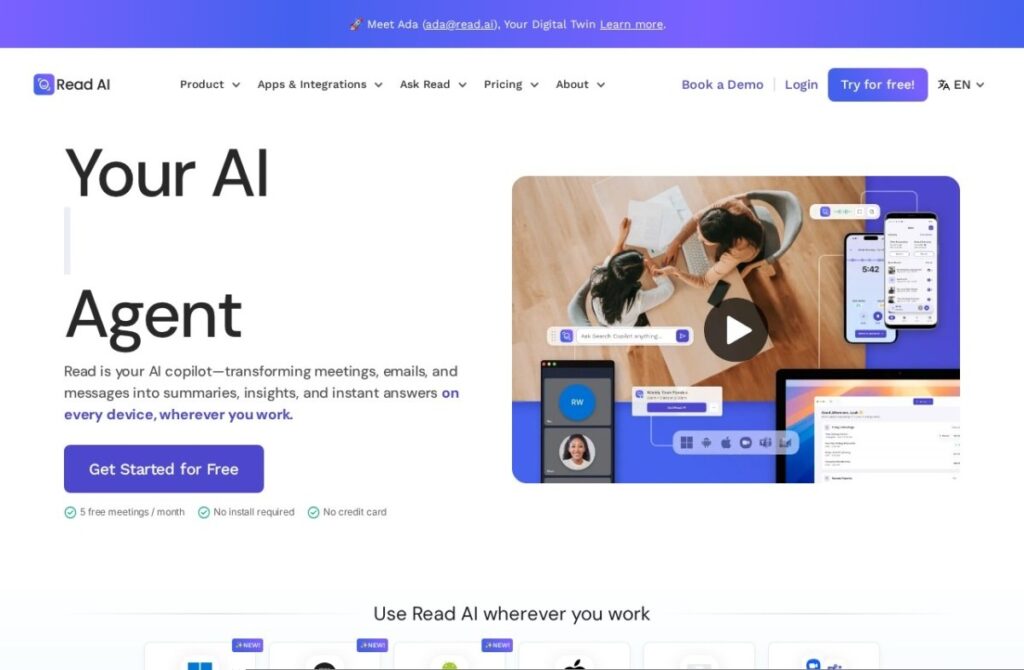
Read AI, founded in 2021, covers standard meeting recap and action-item generation, but extends further with Ada, a "digital twin" AI assistant that learns a user's patterns over time and can search across meetings, emails, and messages together with citations, rather than keeping meeting search siloed away from other workplace communication.

A Speaker Coach feature gauges sentiment, engagement, and talk time during a meeting, giving a presenter feedback on how their delivery actually landed, a specific coaching angle beyond plain transcription. Privacy and compliance certifications, SOC 2 Type 2, GDPR, and HIPAA, support use in more regulated environments.

A free tier covers standard use, and paid plans start around $20 a month for more features. For someone who wants search spanning meetings, email, and messages together through one assistant rather than a meeting-only search tool, and who wants direct speaker coaching feedback, Read AI's Ada and Speaker Coach features address both needs specifically.

Key features

  • Ada digital-twin assistant learning user patterns over time
  • Search across meetings, email, and messages with citations
  • Speaker Coach for sentiment, engagement, and talk-time feedback
  • Free tier for standard use
  • SOC 2 Type 2, GDPR, and HIPAA compliance
  • Operating since 2021

Screenshots & demo

Demo video

Screenshots

Read AI screenshot 1

Pricing

Free
$0
  • 5 meeting transcripts a month, up to 1 hour each
  • Summaries for meetings, email and messaging
  • Unlimited enterprise search
Pro
$19.75 per user/mo, or $15 billed yearly
  • Unlimited meeting transcripts, up to 4 hours each
  • 100 file upload credits a month
  • Notion, Salesforce, HubSpot, Jira and Zapier integrations
Enterprise
$29.75 per user/mo, or $22.50 billed yearly
  • Audio and video playback, video highlights
  • 200 file upload credits a month
  • Premium support
Enterprise+
$39.75 per user/mo, or $29.75 billed yearly; 5-licence minimum
  • HIPAA, SAML and SCIM
  • Custom data retention; meetings up to 8 hours

Checked against Read AI’s pricing page on 24 September 2026. Prices change, so confirm on the official site before you buy.

Is Read AI expensive?

Read AI starts at $15, which is 50% above the Productivity median of $10 a month across the 197 priced tools we list in that category.

The cheapest paid option in Productivity starts at $0.29 and the most expensive at $165.

70% of Productivity tools in the directory offer a free tier, and this is one of them.

Compared against every priced listing in Productivity, recalculated as the catalogue changes. Method and the full market breakdown are in our AI tool pricing study.

Pros & cons

Pros

  • Search spans meetings, email, and messages together, not just meetings alone
  • Speaker Coach offers direct delivery feedback beyond plain transcription
  • Strong compliance certification for regulated industries
  • Free tier available for standard use

Cons

  • More advanced features require a paid plan
  • Crowded category with several similar transcription competitors
  • Full value depends on connecting email and messaging, not just meetings

How it compares

ToolRatingFreeFromBest known for
Read AI (this tool)4.3Yes$15/moAda digital-twin assistant learning user patterns over time
MeetGeek4.3Yes$15/moMeeting effectiveness scoring and analytics
Calendly4.1YesFreeCallie AI assistant (beta)
Avoma4.4No$19/moConversation intelligence tied to deal and revenue outcomes

Alternatives to Read AI

4 tools matched to Read AI on what they do, their category and their price.

Calendly

4.1

Meeting scheduling with Callie, an AI assistant in beta, plus a notetaker producing recaps and action items – handling the work around meetings, not just the booking.

Freemium Productivity

Frequently asked questions

Featured in our guides

What is Read AI?
Read AI is a productivity tool. Ada, a digital-twin assistant searching across meetings, email, and messages.
Is Read AI free?
Yes, Read AI offers a free plan. Paid plans unlock more features and higher usage limits, starting at $15/month.
How much does Read AI cost?
Read AI plans: Free $0; Pro $19.75 per user/mo, or $15 billed yearly; Enterprise $29.75 per user/mo, or $22.50 billed yearly; Enterprise+ $39.75 per user/mo, or $29.75 billed yearly; 5-licence minimum. Checked against the vendor's pricing page on 24 September 2026.
What are the best Read AI alternatives?
The closest matches in the directory are MeetGeek, Calendly, and Avoma, compared side by side above.

Reviews

4.3 Editorial rating No reviews yet

Write a review

More tools like Read AI