Freemium Verified

Fathom

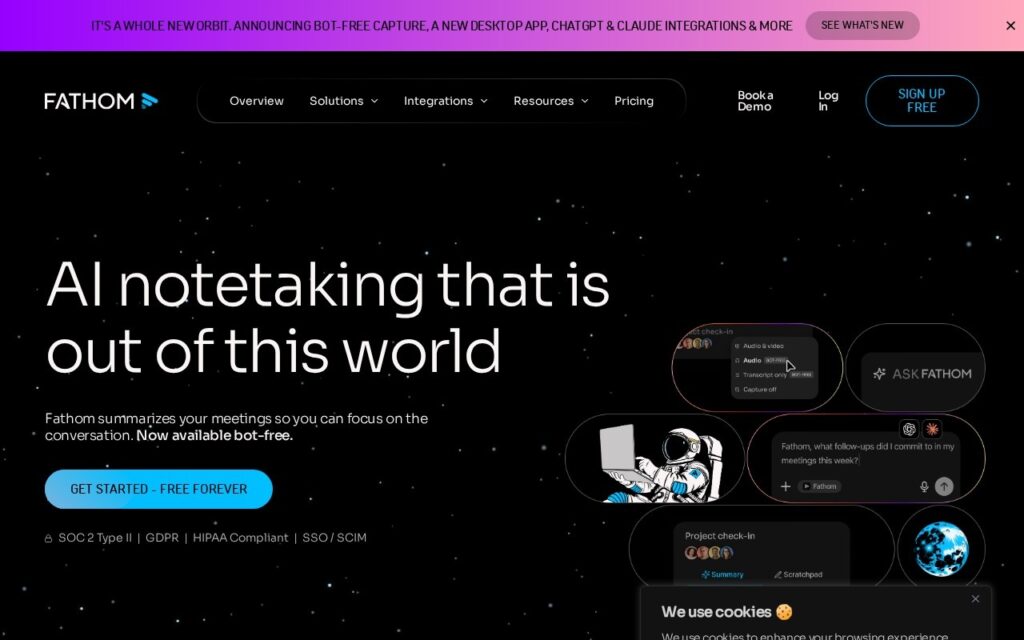
Meeting notetaker with bot-free capture – it records from a desktop app rather than joining your call as a visible participant.

3.9 Productivity
3.9 Good 3.9

Bottom line: Meeting notetaker with bot-free capture – it records from a desktop app rather than joining your call as a visible participant. Free plan available.

Bot-free capture works where a visible notetaker bot is unwelcome or barred Removing the visible bot removes the recording signal – tell participants explicitly
Reviewed by Challenging Voice Editorial · Updated Sep 2026 How we rate
PricingFrom $15/mo
Free planYes
CompanyFathom
PlatformsMac, Web, Windows
Best forProductivity
Founded2020
Visits21
Last reviewedSep 2026
UpdatedSep 2026
Ask AI about Fathom ChatGPT Claude Perplexity

Overview

Fathom records, transcribes and summarises meetings, and its current release adds bot-free capture through a desktop app alongside ChatGPT and Claude integrations, a public API and MCP support.

Bot-free capture is the change worth understanding. Meeting notetakers normally join the call as a visible participant, which is awkward in a client meeting, unwelcome in a sensitive one, and outright prohibited by some organisations’ policies – so the tool that works well internally is often the one you cannot use externally. Capturing from the desktop removes the extra attendee entirely.

That convenience sharpens the consent obligation rather than removing it. The visible bot was, incidentally, doing useful work: it told everyone in the room that the call was being recorded. Without it, nobody knows unless you say so – and recording consent requirements vary by jurisdiction, with several requiring all parties to agree. Tell people you are recording. The integrations with ChatGPT, Claude, Salesforce and HubSpot are what make the transcript useful afterwards rather than another archive nobody opens.

Key features

  • Bot-free capture via a desktop app
  • Meeting transcription and summaries
  • ChatGPT and Claude integrations
  • Salesforce, HubSpot, Asana and Zapier connectors
  • Public API with MCP support
  • Free tier available

Screenshots & demo

Demo video

Screenshots

Fathom screenshot 1

Pricing

Free
$0
  • Unlimited recordings and transcripts
  • Instant AI call summaries
  • Clips, playlists and search across calls
Premium
$20/mo, or $16/mo billed yearly
  • Advanced call summaries
  • AI action items
  • Conversational meeting assistant
  • Custom meeting bot
Team
$19 per user/mo, or $15 billed yearly; 2-user minimum
  • Everything in Premium
  • Global search across the team's calls
  • Highlight playlists, comments, folders and keyword alerts
Business
$34 per user/mo, or $25 billed yearly; 2-user minimum
  • CRM field sync after every meeting
  • Deal View summaries
  • Coaching metrics and AI scorecards
  • Custom call summaries
Enterprise
Quote only (talk to sales)
  • SSO and SCIM provisioning
  • Organization-wide security controls
  • Custom data retention
  • Dedicated success manager

Checked against Fathom’s pricing page on 24 September 2026. Prices change, so confirm on the official site before you buy.

Is Fathom expensive?

Fathom starts at $15, which is 29% above the Productivity median of $11.6 a month across the 165 priced tools we list in that category.

The cheapest paid option in Productivity starts at $0.29 and the most expensive at $165.

72% of Productivity tools in the directory offer a free tier, and this is one of them.

Compared against every priced listing in Productivity, recalculated as the catalogue changes. Method and the full market breakdown are in our AI tool pricing study.


Pros & cons

Pros

  • Bot-free capture works where a visible notetaker bot is unwelcome or barred
  • Integrations push notes into the systems where work continues
  • MCP support makes transcripts reachable by other agent tooling

Cons

  • Removing the visible bot removes the recording signal – tell participants explicitly
  • Recording consent rules vary and several jurisdictions require all parties to agree
  • Crowded category where summary quality varies by meeting type

How it compares

ToolRatingFreeFromBest known for
Fathom (this tool)3.9Yes$15/moBot-free capture via a desktop app
Strawberry4.0Yes$20/moMeeting transcription without a bot joining the call
Wudpecker3.6YesFreeAI meeting recording and summarisation
MeetSummary3.1YesFreeAutomated meeting summaries

Alternatives to Fathom

4 tools matched to Fathom on what they do, their category and their price.

Wudpecker

3.6

AI meeting notes with templates and Ask Wudpecker for querying across past meetings, with privacy and security documented separately.

Freemium Productivity

Frequently asked questions

What is Fathom?
Fathom records, transcribes and summarises meetings, and its current release adds bot-free capture through a desktop app alongside ChatGPT and Claude integrations, a public API and MCP support.
Is Fathom free?
Yes, Fathom offers a free plan. Paid plans unlock more features and higher usage limits, starting at $15/month.
How much does Fathom cost?
Fathom plans: Free $0; Premium $20/mo, or $16/mo billed yearly; Team $19 per user/mo, or $15 billed yearly; 2-user minimum; Business $34 per user/mo, or $25 billed yearly; 2-user minimum. Checked against the vendor's pricing page on 24 September 2026.
What are the best Fathom alternatives?
The closest matches in the directory are Strawberry, Wudpecker, and MeetSummary, compared side by side above.

Reviews

3.9 No reviews yet

Write a review

More tools like Fathom