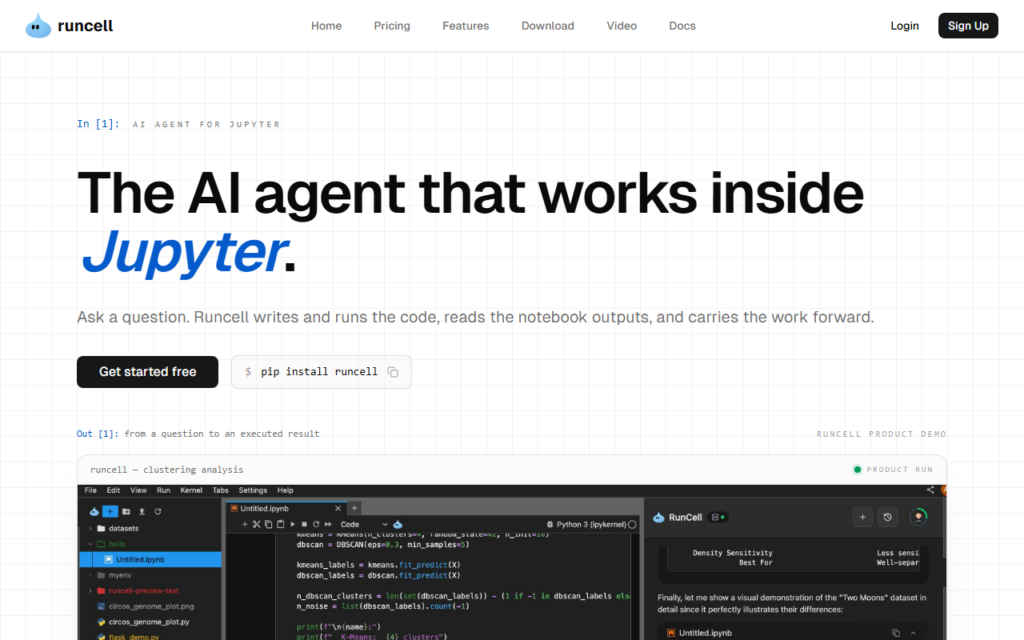
Runcell operates inside Jupyter rather than beside it. It writes Python, runs cells, reads the output, debugs failures and explains results — working through the notebook the way an analyst does, instead of returning code to be pasted in.
Execution access is the difference that matters. An assistant that cannot run a cell cannot see a shape mismatch or a null-heavy column, so it guesses; an agent that executes iterates against real data and corrects itself.
Autonomous execution in a notebook connected to real data deserves care around destructive operations and credentials, so scope it to analysis environments first. A free tier covers evaluation with paid plans for heavier use.
Key features
Agent operating inside the Jupyter interface
Python code written and executed cell by cell
Debugging against real execution output
Explanation of analysis results in context
Iterative correction based on data it has seen
Free tier with paid plans for heavier use
Screenshots & demo
Demo video
Screenshots
Pricing
Runcell offers a free plan, with paid upgrades for higher limits and more features.
Pricing is provided as a guide. Check the official site for the latest plans.
Is Runcell expensive?
Runcell has no advertised paid tier. Among the 98 priced tools we list in Coding, the median entry price is $20 a month.
64% of Coding tools in the directory offer a free tier, and this is one of them.
Compared against every priced listing in Coding, recalculated as the catalogue changes. Method and the full market breakdown are in our AI tool pricing study.
Pros & cons
Pros
Executes cells rather than returning code to paste
Iterates against real data instead of guessing at shape
Lives in the notebook analysts already use
Cons
Autonomous execution needs guardrails on destructive operations
Credential scope in connected notebooks needs review
JavaScript end-to-end and component testing framework with a free open-source app and a paid Cypress Cloud that adds AI test generation from natural-language prompts, self-healing tests and AI insights on failures.