List your tool
Contact for Pricing Verified

Toqan

Zero-setup AI workspace that remembers context and keeps working in the background

3.7 Productivity
3.7 Good 3.7
Removes the setup step that loses most new users Little control for teams with specific retrieval requirements
Reviewed by Challenging Voice Editorial · Updated Sep 2026 How we rate
PricingContact for Pricing
Free planNo
CompanyToqan
PlatformsWeb
CategoryProductivity
Last reviewedAug 2026
UpdatedSep 2026

Is this your tool?

  • Claim this listing. Sign in with an email at toqan.ai to manage it. Claim Toqan
  • Get into the top 5 of Productivity. 5 of 5 spots open, from $159/month. See positions
  • Something out of date? Owners can request edits from My listings; anyone can tell us.
Ask AI about Toqan ChatGPT Claude Perplexity

Overview

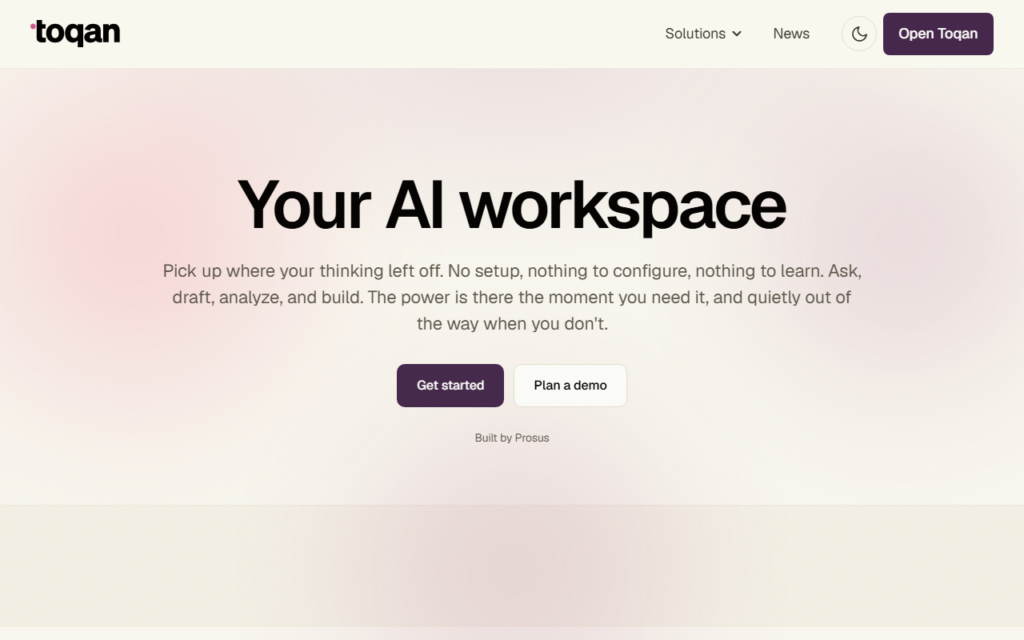
Toqan positions itself against configuration. There is no workspace to structure, no agent to define and nothing to learn before the first useful output — the pitch is that most AI platforms lose users during setup rather than during use.

Two features carry the product past a plain chat interface: persistent memory across sessions, so context does not need rebuilding each time, and background execution, so a task keeps running after the user leaves. Together they support work that spans days rather than a single conversation.

Zero configuration means less control for teams with specific data or retrieval requirements. It also connects into existing tools rather than asking users to move. Pricing is quoted rather than published, suggesting a team and enterprise focus.

Key features

  • No setup or configuration before first use
  • Persistent memory across sessions
  • Background task execution after the user leaves
  • Integrations with existing workplace tools
  • Drafting, analysis and building in one workspace
  • Team-oriented deployment

Screenshots & demo

Toqan screenshot 1

Pricing

Toqan uses custom pricing. Contact their team for a quote based on your needs.

  • Pricing modelContact for Pricing
  • Starting priceCustom
  • Free planNo
Visit Toqan

Pricing is provided as a guide. Check the official site for the latest plans.

Pros & cons

Pros

  • Removes the setup step that loses most new users
  • Memory and background execution support multi-day work
  • Connects to existing tools rather than replacing them

Cons

  • Little control for teams with specific retrieval requirements
  • No published pricing before a sales conversation

How it compares

ToolRatingFreeFromBest known for
Toqan (this tool)3.7No—No setup or configuration before first use
Alpine3.9YesFreeDocuments, tasks and chat in one workspace
HaloMate3.7Yes$9.9/moSwitch or compare GPT, Claude, Gemini and DeepSeek in one chat
Floutwork3.8No—Several AI models in one workspace

Alternatives to Toqan

4 tools matched to Toqan on what they do, their category and their price.

Lunabot

3.5

One AI assistant, five models (GPT-4o, Gemini, Claude, Mistral, Ollama), working identically across browser, mobile, desktop, Telegram and even Siri – no separate API key or ChatGPT account needed.

Freemium Productivity

Frequently asked questions

What is Toqan?
Toqan positions itself against configuration.
Is Toqan free?
Toqan does not offer a free plan.
What are the best Toqan alternatives?
The closest matches in the directory are Alpine, HaloMate, and Floutwork, compared side by side above.

Reviews

3.7 Editorial rating No reviews yet

Write a review

More tools like Toqan

Caret

3.5

A macOS background app that reads on-screen context and finishes sentences in any application when a user presses Tab.

Ayanza

3.8

Team workspace combining objectives, projects, tasks, notes, wiki, newsfeed and chat, free for up to 5 users and $6 per user a month with AI.

Freemium Productivity