Free Trial

Trint

Transcription with a collaborative editor that takes teams from first word to first draft.

4.1 Audio
4.1 Very good 4.1

Bottom line: Transcription with a collaborative editor that takes teams from first word to first draft.

Editing layer is where the real work sits, and it is strong Priced for professional rather than occasional use
Reviewed by Challenging Voice Editorial · Updated Aug 2026 How we rate
PricingFree Trial
Free planNo
PlatformsAPI, iOS, Web
Best forAudio
Visits21
Last reviewedAug 2026
UpdatedAug 2026
Ask AI about Trint ChatGPT Claude Perplexity

Overview

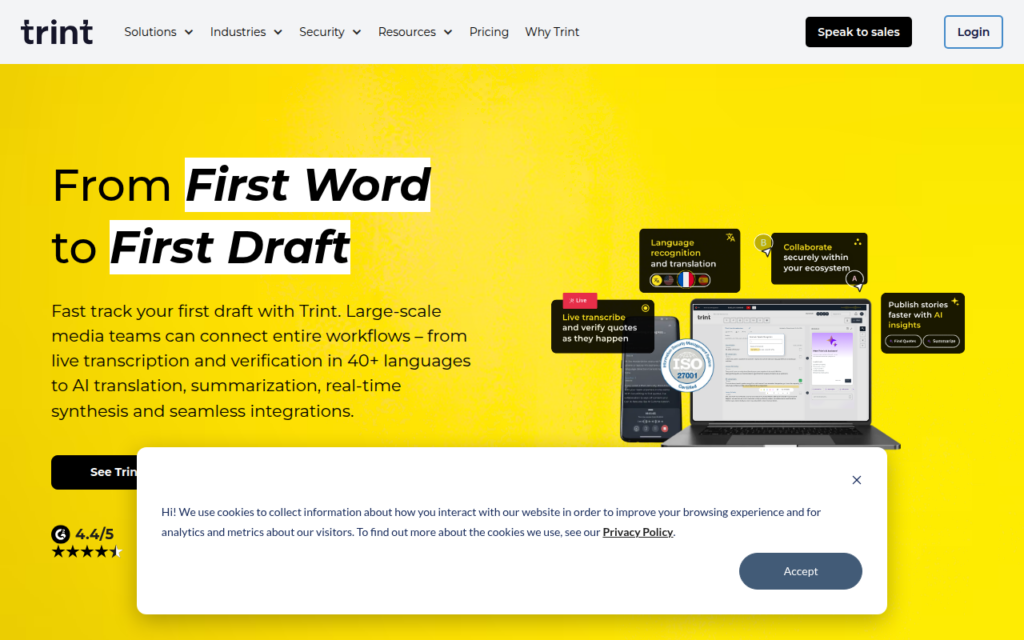
Trint transcribes video and audio, but its distinguishing feature is the collaborative editor built on top. Transcription is close to commoditised now; what remains hard is turning a transcript into finished work, and that is editing rather than recognition.

The editor links text to the underlying audio so clicking a word plays that moment, which is the capability journalists and researchers actually need: verifying a quote against the recording without scrubbing through a timeline. Multiple people can work on the same transcript, which suits newsrooms and research teams rather than individuals.

It has been established in media and research for years, giving it a longer track record than most entrants. It is priced for professional rather than casual use, so occasional transcription is better served by a cheaper tool; the value here is the collaborative editing layer.

Key features

  • Transcription of video and audio across many languages
  • Editor with text linked to the source audio for verification
  • Multi-user collaboration on the same transcript
  • Live transcription as well as uploaded files
  • Sharing and export into downstream workflows

Screenshots & demo

Demo video

Screenshots

Trint screenshot 1

Pricing

Visit the Trint website for current plans and pricing.

  • Pricing modelFree Trial
  • Starting priceCustom
  • Free planNo
Visit Trint

Pricing is provided as a guide. Check the official site for the latest plans.

Pros & cons

Pros

  • Editing layer is where the real work sits, and it is strong
  • Text-to-audio linking makes quote verification fast
  • Established track record in newsrooms and research

Cons

  • Priced for professional rather than occasional use
  • Transcription alone is available more at low cost elsewhere

How it compares

ToolRatingFreeFromBest known for
Trint (this tool)4.1NoTranscription of video and audio across many languages
Voscribe3.7No95%+ accurate AI transcription
Descript4.4Yes$12/moText-based editing that cuts audio and video together
Happy Scribe4.3No$17/moAI transcription with optional professional human review

Alternatives to Trint

4 tools matched to Trint on what they do, their category and their price.

Voscribe

3.7

95%+ accurate transcription in roughly 1 minute per 15 minutes of audio, with a synced audio-transcript editor and one-click SRT subtitle export.

Contact for Pricing Audio

Frequently asked questions

What is Trint?
Trint transcribes video and audio, but its distinguishing feature is the collaborative editor built on top.
Is Trint free?
Trint does not offer a free plan.
What are the best Trint alternatives?
The closest matches in the directory are Voscribe, Descript, and Happy Scribe, compared side by side above.

Reviews

4.1 No reviews yet

Write a review

More tools like Trint

Ermine.ai

3.4

Record and transcribe audio entirely on your own device – nothing is ever sent to a server. Open source, and completely free.

Free Audio