Free Trial

Vosko

Dubs video into 99 languages in the original speaker's own voice.

4.0 Video
4.0 Very good 4.0

Bottom line: Vosko is a strong video tool, best known for dubbing that preserves the original speaker's voice.

Subtitle removal makes an existing back catalogue localisable Every accuracy figure is the vendor's own with no stated method
Reviewed by Challenging Voice Editorial · Updated Aug 2026 How we rate
PricingFree Trial
Free planNo
CompanyVosko
PlatformsWeb
Best forVideo
Visits5
Last reviewedAug 2026
UpdatedAug 2026
Ask AI about Vosko ChatGPT Claude Perplexity

Overview

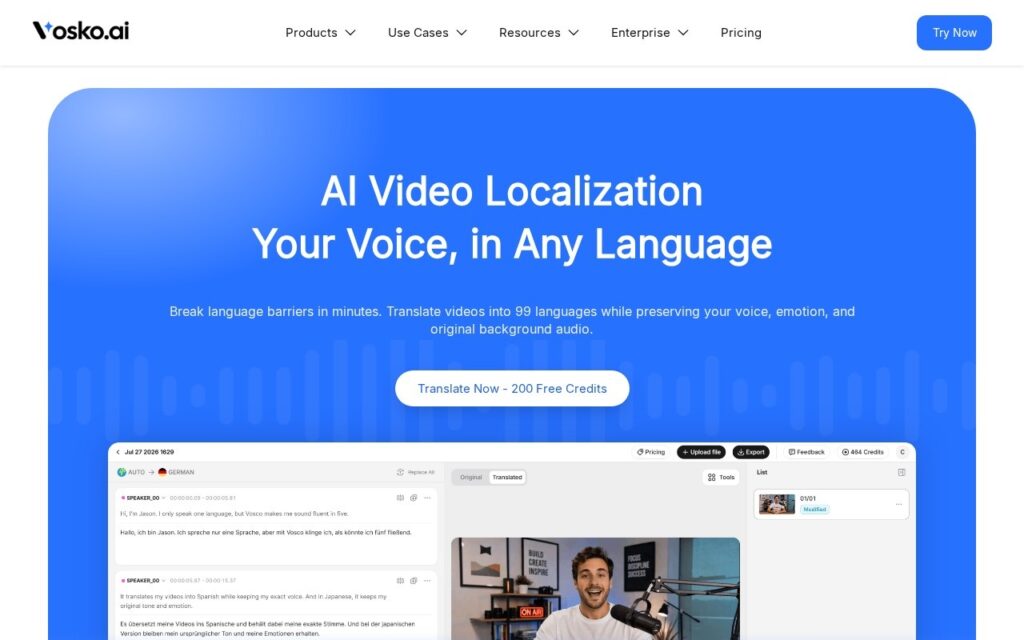
Vosko localises video by translating and dubbing it while keeping the original speaker’s timbre, tone and emotional delivery. It separates overlapping speakers automatically, leaves background music and sound effects untouched, detects and erases hardcoded on-screen subtitles with background reconstruction, and gives a side-by-side script editor with automatic timing resync and manual control over pitch, pacing and emotion.

Subtitle removal is the unglamorous feature that decides whether this is usable on real archives. A large share of existing video already has captions burned into the picture, and dubbing it into another language leaves the old text sitting on screen contradicting the audio – which is why most localisation projects quietly stop at whatever footage still has a clean master. Reconstructing the background behind the text is what opens up the back catalogue.

The company claims 99-plus target languages, 99.2 percent voice timbre fidelity, 99.8 percent precision separating overlapping speakers, 85 percent lower localisation cost and 100,000-plus users. There are 200 free credits to start and no published plan rates. Every one of those figures is the vendor’s own with no stated method, a preserved voice speaking a language its owner does not is a consent question worth settling before publishing, and emotional delivery is the part of dubbing that human directors still argue about.
Key features

  • Dubbing that preserves the original speaker's voice
  • 99+ target languages
  • Automatic separation of overlapping speakers
  • Hardcoded subtitle removal with background reconstruction
  • Side-by-side script editor with timing resync

Screenshots & demo

Vosko screenshot 1

Pricing

Visit the Vosko website for current plans and pricing.

  • Pricing modelFree Trial
  • Starting priceCustom
  • Free planNo
Visit Vosko

Pricing is provided as a guide. Check the official site for the latest plans.

Pros & cons

Pros

  • Subtitle removal makes an existing back catalogue localisable
  • Music and sound effects survive the translation untouched
  • 200 free credits before any payment

Cons

  • Every accuracy figure is the vendor's own with no stated method
  • No plan pricing published
  • A cloned voice speaking an unfamiliar language is a consent question

How it compares

ToolRatingFreeFromBest known for
Vosko (this tool)4.0NoDubbing that preserves the original speaker's voice
DaVinci Resolve4.5Yes$295/moCombined editing, color grading, VFX (Fusion), and audio post (Fairlight) in one application
Fliki4.5Yes$21/moLarge library of natural-sounding AI voices across numerous languages
Synthesia4.0No$29/moAmong the earliest and most established AI avatar tools, operating since 2017

Our verdict

4.0 / 5 4.0

Vosko is a strong video tool, best known for dubbing that preserves the original speaker's voice.

What makes it different: Vosko stands out for dubbing that preserves the original speaker's voice.

How we score it
Overall 4.0
Value for money 4.2
Feature depth 4.9
Popularity 3.7
Best for Video creatorsMarketersAgenciesEducators

Frequently asked questions

What is Vosko?
Vosko is a video tool listed in the Challenging Voice directory. Dubs video into 99 languages in the original speaker's own voice.
Is Vosko free?
Vosko does not offer a free plan.
What are the best Vosko alternatives?
Popular alternatives to Vosko include One More Shot, Taja AI, and FolkTalk. Browse them all in the Video category.
Is Vosko any good?
Vosko scores 4.0 out of 5 based on our editorial review.

Reviews

4.0 No reviews yet

Write a review

Similar tools you might like

Velo

3.8

Turns company context into demo, explainer, training and support videos at scale.

Contact for Pricing Video

Dreamlux

3.9

Browser-based AI video generator that turns text prompts and still images into short, watermark-free clips.

Freemium Video

EbSynth

4.1

Desktop tool that repaints entire video sequences from a single hand-painted keyframe using example-based synthesis.

Freemium Video