Contact for Pricing

Move AI

Markerless motion capture that turns ordinary video into 3D animation data.

4.1 Video
4.1 Very good 4.1
Removes the studio, suit and calibrated volume requirement Pricing page returns a 404 and entry is demo-led
Reviewed by Challenging Voice Editorial · Updated Aug 2026 How we rate
PricingContact for Pricing
Free planNo
CompanyMove AI
PlatformsWeb
CategoryVideo
Last reviewedAug 2026
Ask AI about Move AI ChatGPT Claude Perplexity

Overview

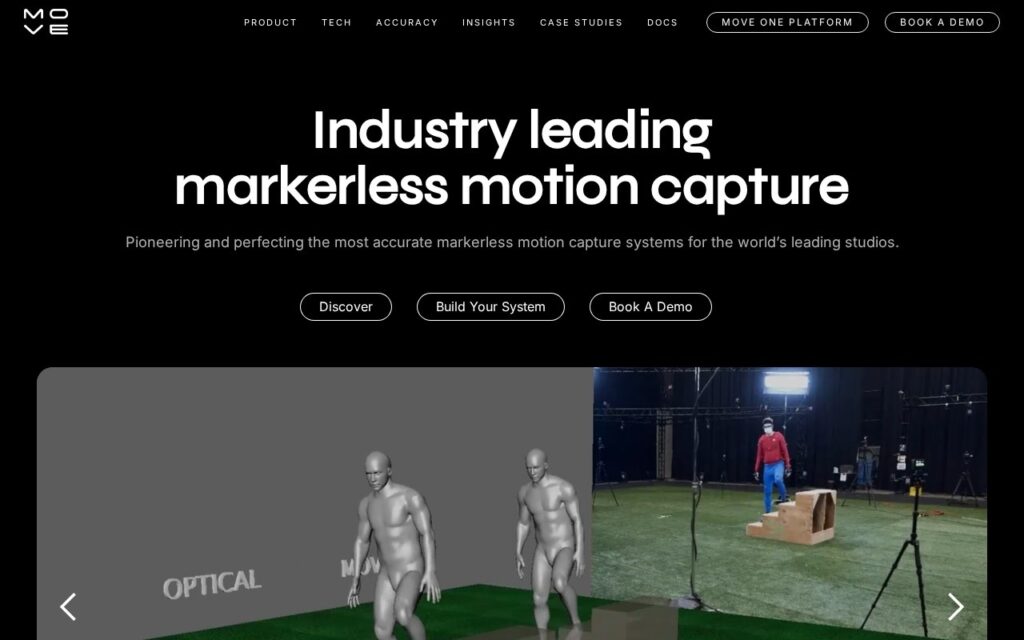
Move AI extracts motion capture data from video without a suit, markers or a dedicated stage. Conventional capture requires a volume, calibrated cameras and a performer in a marker suit, which puts it out of reach of anyone without a studio budget.

Removing that requirement changes who can produce animation data at all. A game studio, a sports analyst or an independent animator can shoot on cameras they already own and get usable 3D motion out the other side.

The pricing page returns a 404 and the route in is a demo. Markerless capture also remains less precise than a marker-based volume, particularly with occlusion and fast limb movement, so it trades accuracy for accessibility rather than matching a studio setup.

Key features

  • Motion capture without markers or suits
  • Works from ordinary video footage
  • 3D animation data as output
  • Multi-camera capture support
  • Used across games, sport and film

Screenshots & demo

Demo video

Screenshots

Move AI screenshot 1

Pricing

Move AI uses custom pricing. Contact their team for a quote based on your needs.

  • Pricing modelContact for Pricing
  • Starting priceCustom
  • Free planNo
Visit Move AI

Pricing is provided as a guide. Check the official site for the latest plans.

Pros & cons

Pros

  • Removes the studio, suit and calibrated volume requirement
  • Works with cameras a team already owns
  • Opens motion capture to budgets that could never reach it

Cons

  • Pricing page returns a 404 and entry is demo-led
  • Less precise than a marker-based capture volume
  • Occlusion and fast limb movement remain weak points

How it compares

ToolRatingFreeFromBest known for
Move AI (this tool)4.1No—Motion capture without markers or suits
DeepMotion4.1Yes$19/moMarkerless motion capture from standard 2D video, no suit or sensors required
Plask Motion4.1Yes$18/moMotion capture from ordinary video
QuickMagic4.2Yes$14.9/moFull-body, hand and facial capture from a single video

Alternatives to Move AI

4 tools matched to Move AI on what they do, their category and their price.

DeepMotion

4.1

Converts ordinary video footage or text prompts into 3D character animation without motion-capture suits or markers.

Freemium Video

Frequently asked questions

What is Move AI?
Move AI extracts motion capture data from video without a suit, markers or a dedicated stage.
Is Move AI free?
Move AI does not offer a free plan.
What are the best Move AI alternatives?
The closest matches in the directory are DeepMotion, Plask Motion, and QuickMagic, compared side by side above.

Reviews

4.1 Editorial rating No reviews yet

Write a review

More tools like Move AI

Elize.AI

3.3

Fully automatic, real-time 3D character animation – face, speech, and body movement generated on the fly based on emotional state, no motion capture needed.

Contact for Pricing Video

Kinetix

4.2

Turns a video clip of human movement into a rigged 3D animation ready for game engines.

Freemium Video