Free Trial

SheetGPT

GPT add-on for Google Sheets that generates and edits text and images directly inside spreadsheet cells with built-in GPT functions, no API key required.

3.7 Productivity
3.7 Good 3.7
Generous free trial (100,000 words) with no signup required Specific paid-plan pricing is not clearly published on-site
Reviewed by Challenging Voice Editorial · Updated Sep 2026 How we rate
PricingFree Trial
Free planNo
CompanySheetGPT
PlatformsWeb
CategoryProductivity
Last reviewedSep 2026
Ask AI about SheetGPT ChatGPT Claude Perplexity

Overview

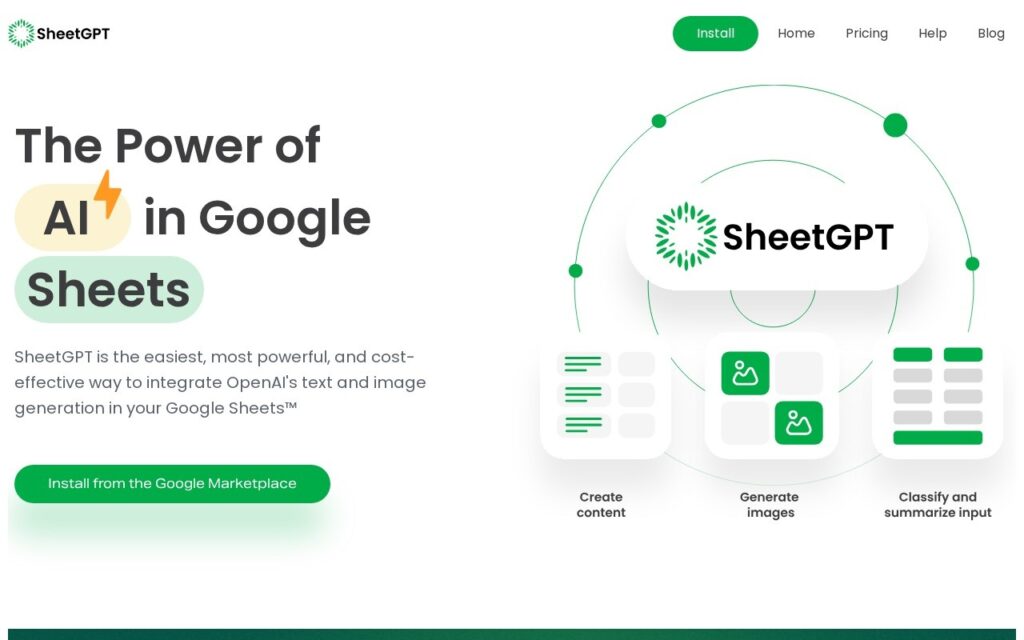
SheetGPT adds custom GPT functions directly into Google Sheets, letting a user generate content, summarize and categorize open-ended text, clean messy data, and create images from within a familiar spreadsheet cell rather than switching to a separate chat window. It is built for structured, repeatable workflows like generating topic ideas and multi-channel content variants from a single prompt, building AdWords keywords and ad copy for marketing campaigns, or prototyping and sharing GPT-based workflows across a team, and it caches results to avoid paying for repeat queries. The company states SheetGPT is incorporated in the US with US-based support and development teams, and it is designed as one plan covering every user in an organization rather than per-seat pricing.

SheetGPT’s own pricing page did not display specific paid-plan rates at the time of this review, so a team should check the current plan cards directly on-site or contact the company before assuming a price. As with any AI content or data-cleansing tool run inside a live spreadsheet, generated output is worth a spot check before it feeds into a report or downstream workflow.

Every user gets the first 100,000 words of GPT-3.5 content generation for free by installing the add-on from the Google Marketplace, with no signup required to start the trial. Paid plans unlock higher usage limits, image generation, early-access models, multi-user support, long-term caching and priority support, with custom higher tiers available by contacting the company directly.

Key features

  • Custom GPT functions usable directly inside Google Sheets cells
  • Text and image generation without leaving the spreadsheet
  • Built-in result caching to avoid paying for repeated queries
  • One organization-wide plan rather than per-seat pricing
  • No API key setup required to start using it

Screenshots & demo

SheetGPT screenshot 1

Pricing

Visit the SheetGPT website for current plans and pricing.

  • Pricing modelFree Trial
  • Starting priceCustom
  • Free planNo
Visit SheetGPT

Pricing is provided as a guide. Check the official site for the latest plans.

Pros & cons

Pros

  • Generous free trial (100,000 words) with no signup required
  • Result caching keeps repeat-query costs down for larger teams
  • US-incorporated with dedicated support rather than an anonymous operator

Cons

  • Specific paid-plan pricing is not clearly published on-site
  • No social accounts were found to independently gauge activity or support
  • Best suited to spreadsheet-based workflows rather than open-ended chat use

How it compares

ToolRatingFreeFromBest known for
SheetGPT (this tool)3.7No—Custom GPT functions usable directly inside Google Sheets cells
Flowshot3.6Yes$9/moAutocomplete – fills cell ranges based on existing examples
GPTforWork4.2No$29/moBulk-generates and translates content directly inside spreadsheet cells
SheetAI.app4.0Yes$12/mo=SHEETAI formula usable anywhere in Google Sheets

Alternatives to SheetGPT

4 tools matched to SheetGPT on what they do, their category and their price.

Flowshot

3.6

Four AI functions live inside Google Sheets – autocomplete a column from examples, write =AI formulas, generate any formula from instructions, or =IMAGINE an image in a cell.

Freemium Productivity

Sheldon

3.4

Free Chrome extension AI assistant working inside Gmail, Google Sheets, LinkedIn and Quora – writes professional email replies, builds complex Excel formulas from a description, and generates code snippets.

Frequently asked questions

What is SheetGPT?
SheetGPT adds custom GPT functions directly into Google Sheets, letting a user generate content, summarize and categorize open-ended text, clean messy data, and create images from within a familiar spreadsheet cell rather than switching to a separate chat window.
Is SheetGPT free?
SheetGPT does not offer a free plan.
What are the best SheetGPT alternatives?
The closest matches in the directory are Flowshot, GPTforWork, and SheetAI.app, compared side by side above.

Reviews

3.7 Editorial rating No reviews yet

Write a review

More tools like SheetGPT

ChatKit

3.4

A refined ChatGPT interface across OpenAI, Gemini, Azure and custom models – bring your own API key or buy credits at a flat 1:1 rate, with URL context, full chat-history search and Whisper voice input.

TubeOnAI

3.9

Summarizes YouTube, podcasts, PDFs and web articles, then repurposes the content into blog posts and social copy – free tier forever, 150,000+ users.

Freemium Productivity

PaletteBrain

3.4

Select text in any Mac app, hit Space, run a custom AI command, paste the result back – no window switching, bring your own OpenAI key, pay once for lifetime access.