
Contact for Pricing

Quivr

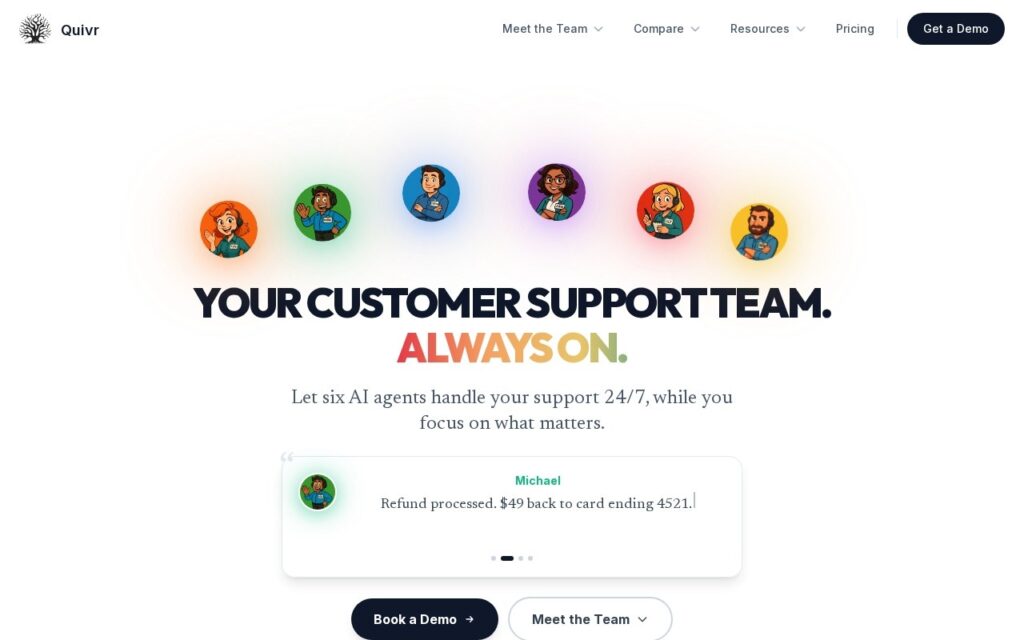
Six named support agents that draft, act, route, engage, analyse and document.

3.9 Customer Support
3.9 Good 3.9
Drafting and execution split, so the risky action has its own agent No pricing published at all
Reviewed by Challenging Voice Editorial · Updated Aug 2026 How we rate
PricingContact for Pricing
Free planNo
CompanyQuivr
PlatformsAPI, Web
CategoryCustomer Support
Last reviewedAug 2026
Ask AI about Quivr ChatGPT Claude Perplexity

Overview

Quivr splits customer support automation across six agents, each with a name and one job. Kelly composes draft replies, Michael executes actions like refunds and account updates, Steven routes and tags tickets, Joana engages website visitors, Lily analyses sentiment and support trends, and Dan keeps the knowledge base documented and accurate. They run around the clock.

Separating drafting from execution is the design decision that matters. Writing a reply is reversible and low-stakes; issuing a refund moves money and cannot be undone by editing a message. A single support agent that does both applies one confidence threshold to two very different risks, and the failures that make the news are always on the second kind.

The company publishes no pricing, offering a demo and an ROI calculator instead. Six agents is six things to configure and supervise before the system does useful work, an agent executing refunds needs limits that are a policy decision rather than a setting, and giving agents first names is a presentation choice that makes it easier for customers to forget they are not talking to staff.

Key features

  • Kelly drafting support replies
  • Michael executing refunds and account updates
  • Steven routing and tagging tickets
  • Lily analysing sentiment and support trends
  • Dan auto-documenting the knowledge base

Screenshots & demo

Quivr screenshot 1

Pricing

Quivr uses custom pricing. Contact their team for a quote based on your needs.

  • Pricing modelContact for Pricing
  • Starting priceCustom
  • Free planNo
Visit Quivr

Pricing is provided as a guide. Check the official site for the latest plans.

Pros & cons

Pros

  • Drafting and execution split, so the risky action has its own agent
  • Covers analysis and documentation, not only ticket handling
  • ROI calculator published alongside the demo

Cons

  • No pricing published at all
  • Six agents to configure and supervise before it earns its keep
  • Refund limits are a policy decision, not a settings toggle

How it compares

ToolRatingFreeFromBest known for
Quivr (this tool)3.9No—Kelly drafting support replies
HappyFox3.8No—Ticket summarization and AI-drafted reply generation
Yuma AI4.1No—Support AI for WISMO, returns, refunds and exchanges
CoSupport AI4.0No$99/moTraining directly on a company's own historical tickets and knowledge base

Alternatives to Quivr

4 tools matched to Quivr on what they do, their category and their price.

HappyFox

3.8

AI built into every help desk workflow – ticket summarization, draft replies, an AI Contact Center with voice, and a 24/7 self-service chatbot.

Contact for Pricing Customer Support

Kayako

3.8

Kay AI Agent triages, drafts replies, and learns from every human resolution – measured at 52% AI-resolved tickets and an 87.2% deflection rate.

Contact for Pricing Customer Support

Frequently asked questions

What is Quivr?
Quivr splits customer support automation across six agents, each with a name and one job.
Is Quivr free?
Quivr does not offer a free plan.
What are the best Quivr alternatives?
The closest matches in the directory are HappyFox, Yuma AI, and CoSupport AI, compared side by side above.

Reviews

3.9 Editorial rating No reviews yet

Write a review

More tools like Quivr

Kaizan

3.6

Specialist AI agents work every client account 24/7 – drafting replies, prepping QBRs, watching for churn risk, surfacing expansion opportunities – reports 21%+ average revenue growth per client.

Contact for Pricing Customer Support