Paid Verified

Microsoft Copilot Studio

Low code platform to build and deploy conversational AI agents

4.2 Automation
4.2 Very good 4.2

Bottom line: Microsoft Copilot Studio is a strong automation tool, best known for low code conversational agent authoring. Paid from $200/mo.

Deep Microsoft ecosystem integration Best value inside Microsoft stack
Reviewed by Challenging Voice Editorial · Updated Jul 2026 How we rate
PricingFrom $200/mo
Free planNo
CompanyMicrosoft
PlatformsAPI, Web
Best forAutomation
Founded2023
Visits8
Last reviewedJul 2026
UpdatedJul 2026
Ask AI about Microsoft Copilot Studio ChatGPT Claude Perplexity

Overview

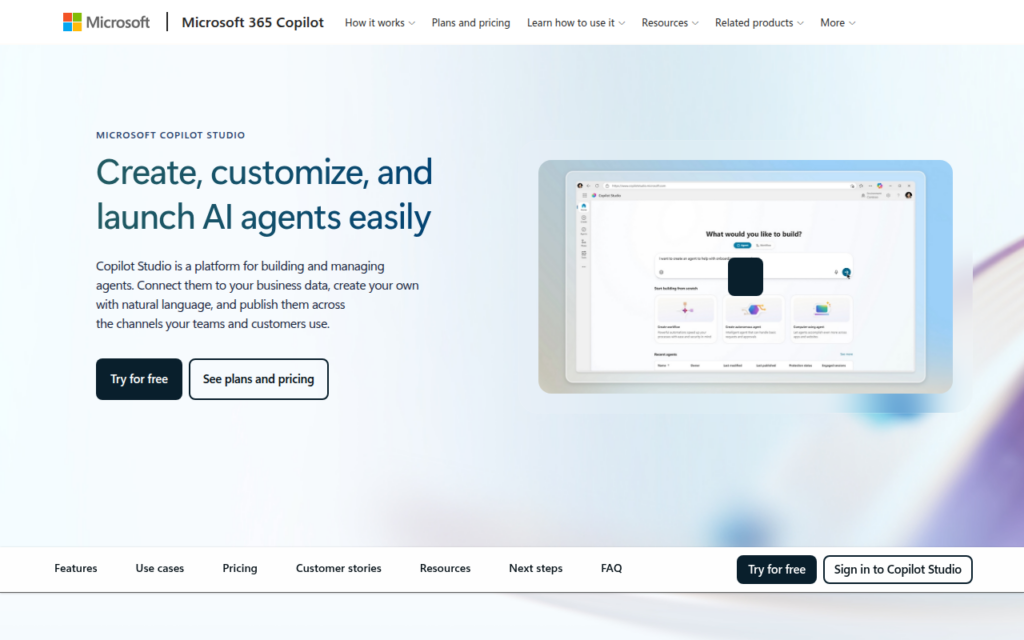
Microsoft Copilot Studio is a low code platform for creating custom conversational agents and copilots. It lets users design chatbots and AI agents using a graphical interface, natural language instructions, and prebuilt topics. Agents can connect to enterprise data, trigger automated actions, and use generative answers grounded in an organization's own content. Copilot Studio integrates closely with the broader Microsoft ecosystem, including Power Platform and Microsoft 365, so agents can be published to channels like Teams, websites, and other messaging surfaces.

The platform is aimed at business users, IT teams, and developers inside organizations that use Microsoft products and want to build agents without deep coding. It suits companies creating internal help desk assistants, customer support bots, and process focused copilots that act on business systems. Because it emphasizes low code authoring and governance, it fits teams that need administrative control, security, and integration with existing identity and data. Its ecosystem ties make it a natural choice for organizations already invested in Microsoft cloud services and productivity tools.

In practice, makers define topics, prompts, and actions, then ground agents in documents or connected systems for accurate answers. Agents can call flows to perform tasks and pass data between applications. Publishing options push the finished agent to Teams, web pages, and other channels.

Key features

Screenshots & demo

Pricing

Microsoft Copilot Studio is a paid tool, with plans that start at $200/mo.

  • Pricing modelPaid
  • Starting priceFrom $200/mo
  • Free planNo
Visit Microsoft Copilot Studio

Pricing is provided as a guide. Check the official site for the latest plans.

Pros & cons

Pros

  • Deep Microsoft ecosystem integration
  • Low code building for business users
  • Strong governance and security options
  • Multiple publishing channels supported

Cons

  • Best value inside Microsoft stack
  • Licensing and pricing can be complex
  • Advanced scenarios still need expertise

How it compares

ToolRatingFreeFromBest known for
Microsoft Copilot Studio (this tool)4.2No$200/moLow code conversational agent authoring
Magical4.6Yes$10/moText expansion with saved shortcuts
Pipedream4.6Yes$45/moCode and no-code workflow steps
Browser Use4.5Yes$29/moOpen source AI browser agent framework

Our verdict

4.2 / 5 4.2

Microsoft Copilot Studio is a strong automation tool, best known for low code conversational agent authoring. Paid plans start at $200/mo.

What makes it different: Microsoft Copilot Studio stands out for low code conversational agent authoring.

How we score it
Overall 4.2
Value for money 3.5
Feature depth 4.9
Popularity 3.7
Best for ProfessionalsTeamsCreatorsCurious learners

Frequently asked questions

What is Microsoft Copilot Studio?
Microsoft Copilot Studio is an automation tool listed in the Challenging Voice directory. Low code platform to build and deploy conversational AI agents.
Is Microsoft Copilot Studio free?
Microsoft Copilot Studio does not offer a free plan; paid pricing starts at $200 per month.
How much does Microsoft Copilot Studio cost?
Microsoft Copilot Studio starts at $200 per month. See the pricing plans above for full details.
What are the best Microsoft Copilot Studio alternatives?
Popular alternatives to Microsoft Copilot Studio include Clay, Lindy AI, and Relevance AI. Browse them all in the Automation category.
Is Microsoft Copilot Studio any good?
Microsoft Copilot Studio scores 4.2 out of 5 based on our editorial review.

Reviews

4.2 No reviews yet

Write a review

Similar tools you might like