
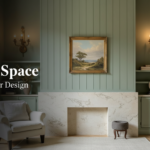




Mockuplabs
3.7Product mockups that stay editable, plus the rest of the listing page.

AI design tools help marketers, founders, and product teams create graphics, websites, logos, and interface mockups faster, often with editable drafts generated from a short text prompt.
The best Design AI tools right now are Krea, MYTH AI, and Presentations.AI. Krea is our top overall pick (4.3/5), and it includes a free plan. Compare all 8 below by price, features and rating to find the right fit.
| Tool | Best for | Free | From | Rating | Visit |
|---|---|---|---|---|---|
 Krea Krea | Best overall | Yes | $10/mo | 4.3 | Visit |
 MYTH AI MYTH AI | Best value | No | — | 3.8 | Visit |
 Presentations.AI Presentations.AI | Best free option | Yes | Free | 3.7 | Visit |
 Make Floor Plan Make Floor Plan | Also worth a look | No | $14.99/mo | 3.4 | Visit |
 Image to Prompt Image to Prompt | Also worth a look | No | $9.9/mo | 3.4 | Visit |
 LogoFast LogoFast | Also worth a look | Yes | Free | 3.4 | Visit |
 AI Image Cleaner AI Image Cleaner | Also worth a look | Yes | $6/mo | 3.3 | Visit |
 GraphicSprings GraphicSprings | Most popular | Yes | Free | 3.2 | Visit |
Durable generates a complete business website, including text and images, from a few prompts about your company. That makes it a quick way for a founder to put a working page online and start collecting interest before investing in custom design.
Photoroom uses AI to cut out product backgrounds and create clean studio style images for online stores. It is a strong fit for sellers who need consistent catalog photos without a photo studio or manual masking in an editor.
Relume generates a sitemap and matching wireframes from a description of your company, then exports to Figma and Webflow. It suits agencies and designers who want to lock down page structure and section flow before adding visual style.
Visily converts screenshots, hand drawn sketches, and text prompts into editable, higher fidelity UI wireframes. Product managers and non designers can use it to move a rough idea into a shareable mockup that exports to Figma for further work.
These Design tools offer a genuine free plan or trial, a smart place to start before you pay.
| Price tier | What you get | Examples |
|---|---|---|
| Free | $0, free plan or open-source | LogoFast, GraphicSprings, Presentations.AI, AI Two, ColorMagic |
| Budget | Under $15/mo | Krea, Make Floor Plan, AI Image Cleaner, Image to Prompt, MakeLanding |
| Mid-range | $15 to $39/mo | LogoMakr, Moda, Sitekick, Squarespace, EasySite |
We verify every tool in this category is live and write its listing from the vendor’s own material, then score it on value, feature depth and how well it fits the job. Rankings are never for sale, and affiliate links never change a score. Read our full methodology
Product mockups that stay editable, plus the rest of the listing page.

Prompts become editable documents, decks, diagrams and video, on your brand automatically.

AI product and fashion photography that "actually looks real" – native 4K, diverse AI models, used by 10,000+ businesses including Loewe.

A motion foundation model that exports rigged animation into Unreal, Unity and Blender.

Virtually stages a listing in 15 seconds and keeps the furniture consistent across angles.

Paste a URL, get a redesigned site back as clean HTML, paid once not monthly.
Describe a shop in plain English, get a live store with its own MCP server.
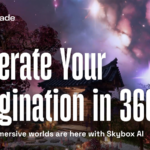
Generates 16K 360 panoramas from a prompt in about fifteen seconds, with HDRI export.

Generates seamless, print-ready textile patterns from a prompt or an uploaded image.
Furnishes empty property photos from $0.50 each, with MLS disclosure overlays built in.

Text, image or sketch to a rigged, textured 3D model with 4K PBR materials.

Block-based website builder with 550 pre-designed blocks and a Zero Block escape hatch.
Business decks built on a chosen narrative structure rather than a slide template.

Browser tilemap editor that exports straight to Unity, Godot, Phaser and six more engines.

Generates marketing designs as editable layers with real fonts and vectors, not flat images.

Stages and redesigns rooms from a photo while leaving walls, windows and doors alone.

Physics-driven AI that places and routes a PCB overnight instead of over weeks.

Free QR generator covering 60 content types, with editable dynamic codes and scan analytics.

Reads a studio's existing 3D assets and builds virtual environments from them by voice.

Builds presentations from a prompt or a document, then refines them by conversation.

Scans rooms and objects into 3D models, floor plans and measurements from a phone.
Describe a business and get a working website with copy, SEO and booking built in.

Generates buildable floor plans and BIM geometry from a firm's own encoded design standards.

Turns 2D images into textured 3D assets across a generate, retopologise and texture pipeline.

AI interior design tool that redesigns a room from a single uploaded photo

Automated architectural space planning that generates optimised layouts

Interior design and virtual staging renders for homeowners and property listings
Redesigns home interiors and exteriors, including listings from Zillow and Redfin

Open-source room redesign tool that restyles a space from one photo

Turns text or an image into an editable diagram, with icon packs and export formats included.

A visual editor that lets designers edit live React components directly in the real codebase.

Collov AI turns photos of empty or dated rooms into staged, styled renderings for real estate listings and interior design pitches.
AI product design that turns sketches into 3D designs and generates sellable variations.

Generates production-ready 3D models from text or images in seconds.

No-code platform for building AI-generated apps, websites, and chatbots from a text prompt.

AI logo and brand-kit generator that expands into business cards, social templates, and full websites.

Browser-based AI BIM for architects, taking a brief to a BIM-ready model through ten agents.

AI platform that builds animation-ready 3D digital humans from a photo, video, or body scan.

A collaborative platform for crafting and playing AI-driven interactive stories.

AI design agent that maps user flows and edge cases before generating product-ready screens.

Free Figma and FigJam plugin that rewrites and generates design copy through a built-in ChatGPT connection.

An AI-powered infinite canvas where teams brainstorm, design, and build together in one space.

Turns mismatched team photos into consistent, branded headshots with one drag-and-drop upload.

AI logo generator that creates brand kits and files for a one-time payment instead of a recurring subscription.

AI-powered interior and exterior design tool that transforms room photos into photorealistic redesigns.

A free AI business name generator that pairs short, brandable names with instant logo concepts

Converts a logo or product image into e-commerce-ready mockups across apparel, packaging, and merchandise.

Builds a website and its content from a guided question-and-answer flow.
This category covers software that applies AI to visual work across several jobs: graphic design and social assets, web and landing page building, logo and brand identity, product and UI design, and image editing. Canva packages templates and an AI feature set called Magic Studio for everyday graphics, while Figma serves professional UI and UX teams that need precise, collaborative design files. Builders like Relume generate sitemaps and wireframes for marketing sites. Typical users include small business owners, social media managers, startup teams validating an idea, and designers who want to move from concept to a working draft more quickly.
When you compare options in this category, weigh a few practical factors: